
On LinkedIn, you have the choice between opting for a basic account or taking a premium LinkedIn subscription.
Unlike other platforms like Viadeo, LinkedIn stands out by offering up to four different types of subscriptions (see the comparison of premium LinkedIn subscriptions ). Each one having its specificity and its usefulness.
Depending on your profile, you can choose to:
- The “career” account, adapted to job seekers;
- The “business” account, adapted to develop visibility;
- The “sales” account, suitable for prospecting;
- The “recruitment” account, adapted for recruiters.
Whatever subscription you choose, the premium offers you new features that you do not have access to with a profile without a subscription.
However, for one reason or another, you want to terminate LinkedIn Premium to revert to a basic account and cancel the automatic renewal.
1. So how do you cancel and terminate LinkedIn Premium?
I reassure those who think the task is difficult. Thanks to its many innovations and updates, LinkedIn is fluid and easy-to-use platform.
To cancel and terminate LinkedIn Premium:
Go to the “you” icon at the top of the home page;
Click on “Premium subscription preferences”;
Click on “subscription and payment” in the left column;
Click on “cancel subscription” in “account type”;
After choosing the reason for the cancellation, click on “continue” and “cancel my subscription”.
Please note, if you have benefited from a premium LinkedIn account for free for a limited time during a trial, for example, you can cancel and terminate the subscription as soon as you subscribe. Indeed, LinkedIn will keep your right to use the Premium account until the following month despite the annual subscription. Here is interesting information.
Also, note that I have found 3 ways to access premium LinkedIn features for free. If you want to earn 74 € per month… see the article: how to get LinkedIn premium free.
2. Cancel LinkedIn premium: what if you were still charged?
Some professionals are reluctant to terminate their premium LinkedIn account for fear of seeing their credit card still charged.
A very simple trick to avoid this inconvenience is to cancel your LinkedIn Premium subscription at least one day before the usual billing date.
3. What are the direct consequences of canceling and terminating a premium subscription?
From the end of your billing cycle …
You will see the new features of the premium LinkedIn account fly away, such as: Inmails , the complete list of people who have viewed your profile, the ads posted, the golden badge, etc.
The accumulated credits of InMail will be permanently lost.
Cancel and terminate LinkedIn premium: in conclusion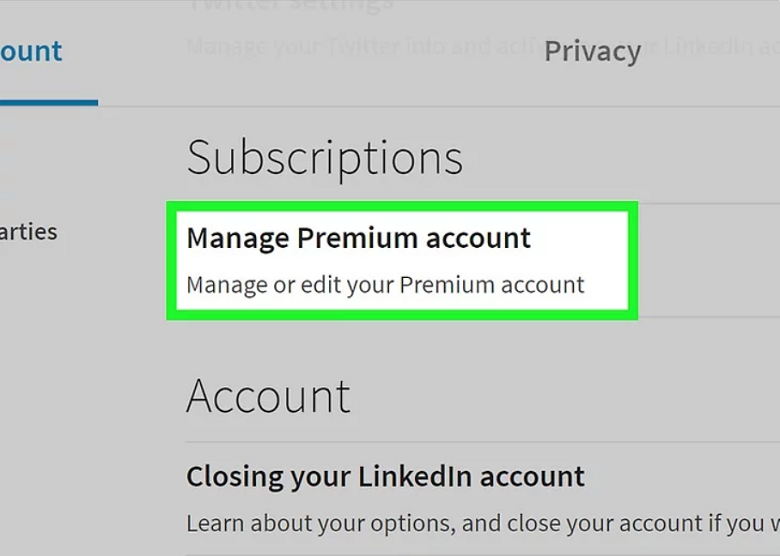
Some professionals find it a huge advantage to opt for a premium LinkedIn account. However, it is possible that you lose your interest in the premium and want to go back to a basic account during a free trial for example. You now have the keys to knowingly cancel & terminate LinkedIn Premium.
Note that LinkedIn premium is not essential to be able to sell (you). I invite you to read my article which explains how to do social selling with LinkedIn.


Leave a Reply