

If you want to stop following different Facebook accounts or users, then we will show you how to do it using two different methods, both individually and in groups.
And it is that the Follow tool on Facebook allows us to follow all the news of accounts that arouse our interest, receiving all their publications, images, videos, and more on our news wall without having to be friends on the social network itself. But it is also possible that after the following someone, you want to stop doing it for one reason or another, either because you are not interested in such content or because you do not want to receive so many notifications on your Facebook wall. Therefore, below we will show you how to unfollow someone on Facebook.
How to unfollow a Facebook account
Follow these steps to unfollow someone specific on Facebook, be it a person or an account:
- Access Facebook and enter your account access data if you do not have automatic login activated.
- Search for the Facebook profile of the person or account you want to unfollow through the search bar at the top of the screen.
- Now click on the icon of the three ellipses located under the header image of said account.
- In the pop-up menu, click on the Tracking settings option.
- A new window will open with numerous monitoring options on that page.
- Turn on the switch for the Stop following this page option at the bottom.
- Click on Update.
This way you will stop following that specific person or Facebook account and you will no longer receive their content on your Facebook news wall.
How to unfollow everyone on Facebook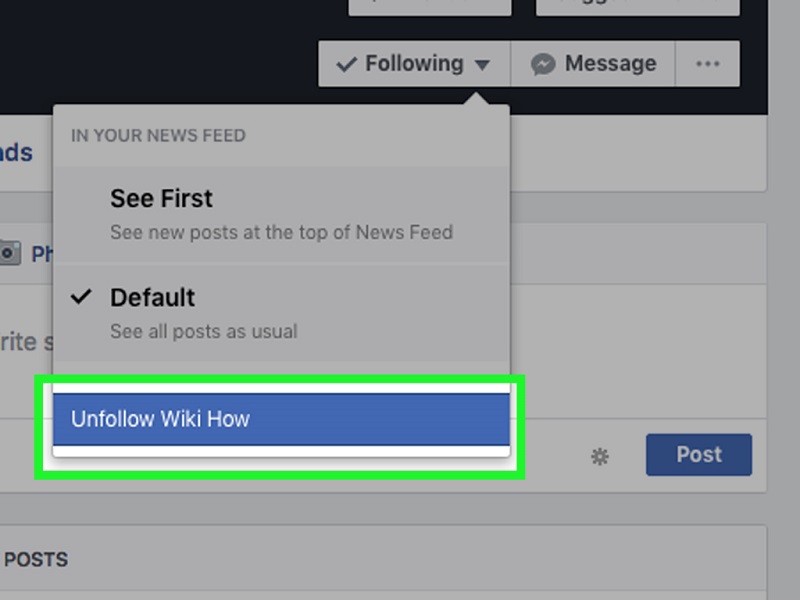
Although if you no longer want to receive content from any page that you follow, you can choose to cancel all Facebook followings at once, a very useful option if you follow too many people or Facebook accounts and do not want to cancel one by one. Follow these steps to stop following everyone at once:
- Access Facebook and enter your account access data if you do not have automatic login activated.
- Click on the down arrow icon in the upper right corner of the screen to display the menu.
- Click on Settings and privacy .
- Now click on Preferences of the news section.
- Choose now the option Stop following.
- Choose All to show all the pages you follow and click on the blue icon to stop following the selected ones; You can also choose from just friends, just pages and groups only .how t
This way you will stop following all those Facebook accounts that you select to no longer receive their content on your Facebook news wall.




Leave a Reply