
A Nintendo Online membership can give you access to a huge library of classic NES games for just $ 4 a month. However, what if you’ve finished playing and don’t want to pay more? Maybe you have a new game that works better? Well, in that case, you need to cancel your Nintendo online membership, and we’ll walk you through it. Nintendo is a great game that brings back memories. The old classic games are just amazing. And for the price of $ 4 a month, you can enjoy all the great classic NES games on your Nintendo Switch.
However, with more and more games available for mobile smartphones, now Nintendo games are receiving less attention. Many users cancel their subscription or cancel their Nintendo Online Membership. In case you also want to cancel your Nintendo Online membership and are wondering how to do it, then the process is very easy. We will guide you through the process step by step.
How to cancel Nintendo membership online?
A Nintendo Online Membership offers a new worldwide experience for its members, allowing players to play multiplayer games or go back to the archive and play classic games like “Double Dragon” “Super Mario Bros 3” and many more. That being said, if you don’t use these services, you can cancel the membership.
There is no point in paying for services that you are not benefiting from. So whatever your reason, you can cancel your Nintendo Online Membership anytime you want. Here we’ll explain to you how to do it.
On the Nintendo website
Step 1) Navigate your browser to accounts.nintendo.com and log in to your Nintendo Account. In the menu panel on the left, find and click on the eShop menu.
Step 2) Scroll down to the eShop menu page and then click on “Nintendo Switch Online”.
How to cancel Nintendo membership online?
Step 3) On this page, click on the big red button “Turn off automatic renewal”. Now confirm your decision by clicking “Shutdown” in the pop-up window.
Note: There is no “cancel membership” button, you do this by disabling the auto-renew button
On Nintendo Switch
You can also cancel the membership (turn off automatic renewal) directly from your Nintendo Switch device.
Step 1) On the lower taskbar of your Nintendo home screen, open the eShop application.
Step 2) In the left sidebar, scroll down to find Nintendo Switch Online and tap to open it. You will be taken to your account page.
Step 3) Scroll down and click the “Turn off automatic renewal” button. A pop-up window will appear asking you to confirm your decision, select “Deactivate”. You will receive a confirmation email from Nintendo. That’s it. Now you don’t have to worry about your credit being wasted to no avail.
Note: As a member, you get the privilege of storing your game data in the cloud. After canceling the membership, you will have 180 days to re-subscribe, or your data backed up to the cloud will be lost. And you will have data left on your Nintendo Switch, SD card, or external device.
Conclusion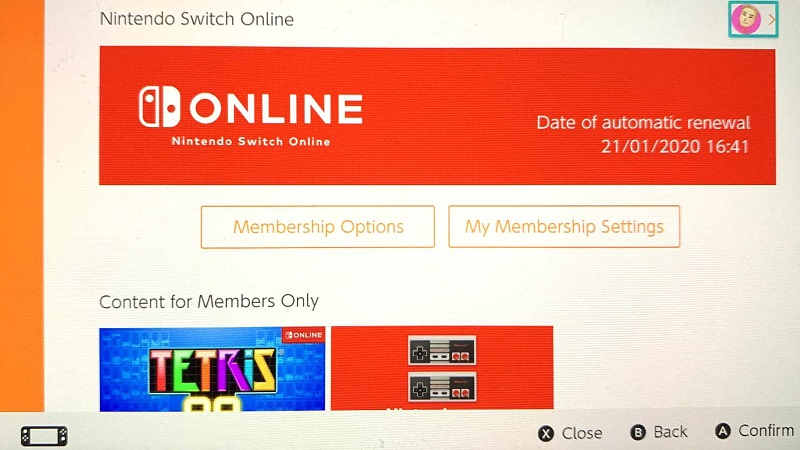
NES games are very classic and relaxing. However, the price of $ 4 a month or Nintendo’s online membership might be too much for many users. With Apple’s new gallery and many similar services, Nintendo services are becoming less popular. To cancel your Nintendo Online subscription while you have time.




Leave a Reply